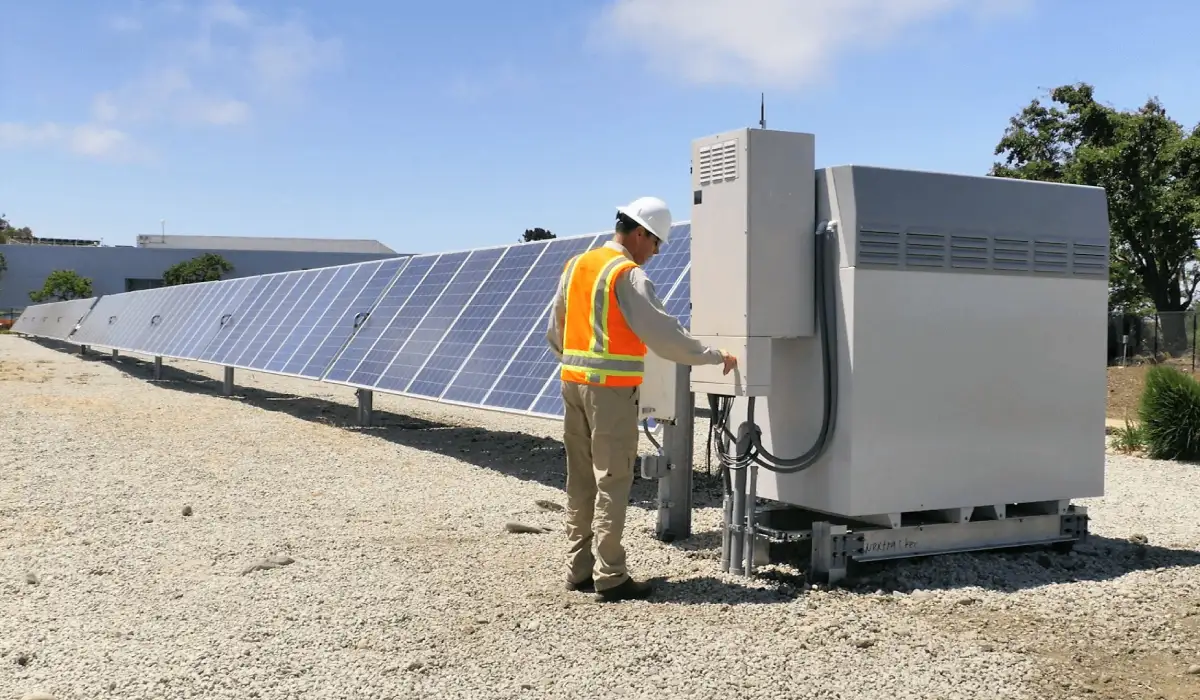
Picture this: you’re scrolling through your electricity bill, squinting at the numbers, and wondering if there’s a smarter way to power your home.
That feeling is exactly why the SRP solar rate plan has become a hot topic for Arizona homeowners and small business owners alike.
In simple terms, SRP’s rate plan lets you lock in a fixed price per kilowatt‑hour for the electricity your solar system feeds back into the grid, shielding you from the roller‑coaster of utility rate hikes.
But here’s the catch: not every plan fits every roof, and the savings you see on paper can disappear if you don’t match the right system size or financing option.
We’ve helped dozens of residential homeowners in Phoenix choose a system that aligns with the SRP solar rate plan, and we’ve seen business owners in Scottsdale slash their energy costs by up to 40% when they pair the plan with a battery backup.
So, why does the SRP solar rate plan matter for you? First, it offers price certainty – a rare commodity when the utility market can jump 5‑10% year over year.
Second, it can improve the return on investment for a solar lease or purchase because the utility credits you receive are based on that locked‑in rate, not the fluctuating wholesale price.
And if you’re thinking about adding a battery, the plan’s predictable credits make it easier to model how many days of backup you can afford without blowing your budget.
What’s the next step? Start by pulling your recent SRP bill, jot down your average daily usage, and then use a solar‑size calculator to see how a 5‑kW system would offset that usage under the rate plan.
If the numbers look promising, give us a call – we’ll walk you through the eligibility checklist, the paperwork, and the timeline, so you can decide whether the SRP solar rate plan is the right fit for your roof or storefront.
TL;DR
With the SRP solar rate plan you can lock in a fixed credit price, protect your budget from utility spikes, and see up to 40% savings when you match the right system size and, if needed, add battery backup. Start by checking your recent SRP bill, sizing a 5‑kW system, and let us help you confirm eligibility.
Step 1: What Is the SRP Solar Rate Plan?
Imagine you’re staring at your SR‑C‑E bill and the numbers feel like a roller‑coaster you didn’t sign up for. That’s exactly why the SRP solar rate plan exists – it freezes the credit you get for every kilowatt‑hour your panels push back into the grid, so you’re not at the mercy of utility price spikes.
Here’s how it works: SRP assigns a fixed credit price (often around 9‑12 cents per kWh) that stays the same for the life of the plan, typically 20‑25 years. Every time your system generates electricity and the grid takes it, you earn that credit instead of the fluctuating wholesale rate. In plain English, you know exactly how much you’ll be paid for excess power, month after month.
Eligibility isn’t rocket science, but there are a few checkpoints. First, you need to be a residential homeowner or a small‑business customer in the SRP service area. Second, the system must be sized correctly – usually between 3 kW and 10 kW for a typical home – and it has to be a “new” installation, not a retrofit of an existing net‑metered system. Finally, the utility requires a one‑time application and a short inspection before the plan goes live.
Want a deeper dive into how those credits translate into real‑world savings? Check out our Solar Energy Savings: A Practical Guide to Cutting Your Power Bills. It walks you through the math, the tax credit impact, and how to compare the SRP plan against other rate options.
Now, if you’re already thinking about making your roof smarter, you’ll love the synergy with home automation. Smart Citizens in Dubai, for example, offers luxury smart‑home systems that can monitor solar production in real time and automatically shift loads to battery storage. Pairing a solar array with a smart‑home hub lets you see exactly how much energy you’re saving day‑by‑day – and it feels futuristic, too.
And speaking of upgrades, a video doorbell that runs on your own solar‑generated power can be a game‑changer for security‑savvy homeowners. This practical guide shows you how to pick a doorbell that doesn’t lock you into a monthly subscription, letting you power it straight from your rooftop panels.
Below is a quick visual recap of the SRP solar rate plan mechanics – watch the video to see the flow from generation to credit.
Notice how the credit amount stays steady on the chart, even when the market price line zigzags. That stability is the core promise of the SRP plan, and it’s why many of our customers feel a weight lift off their shoulders once they lock it in.
When you’re ready to visualize your own setup, picture a sunny Phoenix rooftop dotted with sleek panels, a small battery tucked behind the inverter, and a smart‑home dashboard glowing with real‑time data.
Action step: Pull your latest SRP bill, calculate your average daily kWh usage, and run that number through our sizing calculator. If the projected credit covers at least 70 % of your usage, you’re in a strong position to apply for the SRP solar rate plan. Need help with the paperwork? Give us a call – we’ll walk you through the eligibility checklist and get you on the path to predictable, lower energy costs.
Step 2: Eligibility and Enrollment Requirements
Alright, you’ve decided the SRP solar rate plan might be a fit – now it’s time to see if you actually qualify and how to get your name on the enrollment list.
1. Pull up your current SRP account
Log into your SRP My Account or the mobile app. The plan name shows up on your monthly statement and in the dashboard. If it says E‑13, E‑14, E‑15, or E‑27 you’re still on a legacy plan that will be retired by November 2029. Knowing this upfront tells you whether you need to act now or can wait a few years.
2. Gather the paperwork
Here’s a quick checklist you can print or save on your phone:
- Last three residential electricity bills (showing your average kWh usage).
- Proof of ownership or lease for your roof – a recent property tax statement works.
- Any existing solar contract or lease agreement.
- Photo of your roof orientation – a simple phone shot with a compass app helps.
Having these items ready speeds up the verification step with us.
3. Confirm eligibility criteria
SRP’s rules are pretty straightforward, but they differ a bit between the E‑16 “Manage Demand 5‑10 p.m. & Save” and the E‑28 “Conserve 6‑9 p.m. & Save” plans. In general you need:
- A single‑family home or a commercial property with a service‑panel size that matches the tier you’re aiming for (most homes fall into Tier 2, $30 / month MSC).
- A roof that receives at least 5 hours of peak sun per day – you can verify this with a shade analysis tool.
- No outstanding balance on your SRP account. If you have a past‑due amount, pay it off before you submit the enrollment.
- If you want to pair solar with storage, you’ll also need enough space for a battery (4‑6 kWh is a common size for residential installs).
Does any of that feel confusing? Don’t worry – we walk you through each item during the call.
4. Run the numbers (quick self‑audit)
Grab your average monthly usage from step 2. Let’s say you use 1,200 kWh. A 5‑kW system in Phoenix typically produces about 600 kWh per month. Under the upcoming E‑16 plan, the export credit is roughly 5.8 cents/kWh, while the on‑peak purchase price sits around 22 cents/kWh. If you add a battery and shift that 300 kWh of daytime surplus to the evening, you could avoid paying roughly $66 in on‑peak charges each month. That’s the kind of back‑of‑the‑envelope math that tells you a battery is worth the extra cost.
Want a more detailed model? Check out SRP’s official pricing update page for the exact credit rates – the figures change a little each year.
5. Submit your enrollment
Once you’ve verified you meet the criteria, you can enroll in one of two ways:
- Online portal: Log into SRP My Account, navigate to “Generation Programs,” and select the desired plan. The system will ask for your utility account number, system size, and battery capacity (if any).
- Phone or in‑person: Call SRP’s customer service line (1‑800‑SRP‑HELP) or schedule a visit with a Pep Energy specialist. We’ll fill out the form together, double‑check the numbers, and submit it on your behalf.
After submission, SRP typically sends a confirmation email within 48 hours. Keep that email – you’ll need the reference number if you ever want to switch plans later.
Now, let’s watch a short video that walks you through the online enrollment screen step‑by‑step.
6. What to do after you’re approved
After you’re approved, SRP will assign you a “generation account” tied to your solar system. At this point you can:
- Schedule a final inspection for any new battery installation.
- Update your home insurance policy to reflect the added equipment.
- Set up automatic bill pay so you never miss a payment that could jeopardize your eligibility.
And remember, the mandatory switch to the new plans happens in November 2029. If you’re already on a legacy plan, you have a few years to add storage before you’re required to move.
Need a deeper dive into the specifics of the new SRP rate structures? Our partners at latest SRP solar rate plans break it down nicely in this article.
Take the next step now: pull those bills, run the quick audit, and give us a call. We’ll verify everything and lock in the plan that matches your roof, your budget, and your future‑proofing goals.
Step 3: How Billing and Credits Work (Video Overview)
Alright, you’ve made it past the enrollment maze and you’re staring at your first SRP solar rate plan bill. That moment can feel a little like opening a mystery box – you know there’s value inside, but you need to figure out what each piece means.
First thing to notice is the “Generation Credit” line. That’s the money SRP pays you for every kilowatt‑hour your panels push back into the grid. In the plan you chose, the credit is fixed – say 5.8 cents per kWh – so you’ll see the same rate month after month, no matter how the wholesale market swings.
Breakdown of the bill sections
1. Generation Credit. Multiply the credit rate by the kWh you exported last month. The result appears as a negative amount, which is essentially a credit that offsets the charges you owe.
2. Energy Purchase. This is the kWh you still needed from SRP, usually during peak hours. The rate here is higher – often around 22 cents per kWh – because you’re buying electricity instead of selling it.
3. Fixed Service Charge. SRP still needs to maintain the wires, transformers, and meters, so there’s a small, predictable monthly fee. It doesn’t change based on your solar production.
4. Billing Adjustments. Look for any one‑time fees, late‑payment penalties, or rebates that might have been applied after the billing cycle closed.
How the credit shows up in real‑time
When you watch the short video we’ve linked in the previous step, you’ll see a screen capture of SRP’s online portal. The “Export Summary” tab lists the exact kWh exported each day, and the portal automatically calculates the credit you’ll receive.
Here’s a quick mental trick: take your total exported kWh, multiply by the credit rate, and write that number down. Then subtract the purchase kWh multiplied by the purchase rate. The remainder is basically what your net bill will look like before the service charge.
For example, imagine you exported 500 kWh at 5.8 cents/kWh – that’s $29.00 in credits. If you bought 300 kWh at 22 cents/kWh, that’s $66.00 in charges. Subtract the credit and you’re left with $37.00, plus a $10‑$15 service fee, so your total bill lands around $47‑$52.
Tips to keep the numbers in your favor
• Schedule a battery charge cycle so you store excess solar and use it during peak hours. That can shave dozens of dollars off the purchase side.
• If you notice your export numbers dropping, check for shading or dust on the panels – a quick wash can boost production by 5‑10 %.
• Set up automatic bill pay. Missing a payment can trigger a temporary suspension of your generation credit, which defeats the whole purpose of the plan.
What to do after you review the bill
Take a screenshot of the “Export Summary” and send it to us. We’ll double‑check the math, make sure you’re getting the full credit, and flag any unexpected fees.
Then, decide if you want to tweak your system. Maybe a larger battery, or a slight tilt adjustment, could push your export kWh higher and bring your net bill down even more.
Bottom line: the SRP solar rate plan turns your roof into a small cash‑flow generator, but only if you understand how the credit and purchase sides dance together. A quick glance at the bill, a few mental calculations, and a periodic check‑in with us can keep that dance in sync.
Step 4: Comparing SRP Solar Rate Plan Options
Let’s talk about that moment when you’ve pulled the SRP rate‑plan sheet and you’re staring at three or four options, wondering which one actually lines up with your roof, your budget, and the way you use electricity.
The SRP solar rate plan family isn’t a single monolith – there are a handful of tiers, each with its own credit rate, purchase rate, and a few quirks around time‑of‑use windows. In our experience, the right tier can turn a decent solar system into a genuine cash‑flow generator.
First, download the latest SRP generation‑plan PDF from the My Account portal and print the quick‑reference table below. Seeing the numbers side‑by‑side makes the comparison feel less like guesswork and more like a spreadsheet you can run in your head.
| Plan | Credit Rate (¢/kWh) | Purchase Rate (¢/kWh) | Best For |
|---|---|---|---|
| E‑16 “Manage Demand 5‑10 p.m. & Save” | 5.8 | 22 | Homeowners with daytime battery storage |
| E‑27 “Conserve 6‑9 p.m. & Save” | 6.2 | 24 | Small businesses with evening‑heavy loads |
| E‑28 “Peak Saver 7‑10 p.m.” | 6.5 | 26 | Customers who can shift most usage to off‑peak hours |
Now, take a breath and ask yourself: “How much am I actually exporting each month?” If you’ve already run a sizing tool, you probably know your average export – let’s say 500 kWh. Multiply that by the credit rate for each plan. For E‑16 you’d see roughly $29 in credits, while E‑28 nudges you up to $32.5. That extra $3.5 might look small, but over a 12‑month period it adds up to $42 – enough to tip the scales if your purchase side is high.
Next, look at the purchase rate. That’s the price you pay when you pull power from SRP during peak hours. A higher purchase rate makes a plan with a larger credit more attractive, because every kilowatt you avoid buying saves you more. If your business runs heavy equipment in the evenings, the E‑27’s 24¢ purchase rate could bite harder than the 22¢ you’d see with E‑16.
Do you have a battery? If you’ve already installed a 5‑kWh battery, you can shift a chunk of that daytime export into the evening, effectively turning the credit into a “free” kilowatt‑hour that you’d otherwise pay for. In that scenario, the plan with the highest credit (E‑28) usually wins, even if its purchase rate is a touch higher.
What about the fixed service charge? SRP tacks on a small monthly fee no matter which plan you pick – typically $10‑$15. It doesn’t change the math dramatically, but it’s worth noting because a plan that looks great on paper can feel tighter once that baseline cost is added.
Here’s a quick checklist you can run through before you sign the enrollment form:
- Calculate your average monthly export (kWh) and multiply by each plan’s credit rate.
- Estimate your peak‑hour consumption and apply the purchase rate for each option.
- Factor in any battery storage you have or plan to add.
- Add the fixed service charge to get a true “net” monthly cost.
- Compare the net cost against your current bill – the plan with the lowest net number wins.
So, what should you do next? Grab a pen, jot down the numbers from the table, and run the simple math in a spreadsheet or even on a calculator. If the difference between plans is less than $5 a month, you might pick the one with the simplest enrollment process or the one that aligns with your future battery plans.
Finally, remember that SRP updates its credit and purchase rates once a year. After you lock in a plan, set a reminder to revisit the comparison before the next rate‑change cycle – that way you can switch to a better tier if it makes sense.
Bottom line: comparing SRP solar rate plan options is really just a matter of matching credit to export, purchase to peak usage, and battery to timing. Do the math, check the checklist, and you’ll walk away with a plan that feels like a custom‑fit suit rather than a one‑size‑fits‑all.
Step 5: Savings Calculator and Real‑World Examples
Alright, you’ve got your credit rate, your purchase rate, and maybe a battery size in mind. The next question is: how do those numbers turn into actual dollars on your monthly bill?
That’s where a quick, no‑fuss calculator comes in. You don’t need fancy software – a spreadsheet or even a pen‑and‑paper grid will do.
Build Your Simple Spreadsheet
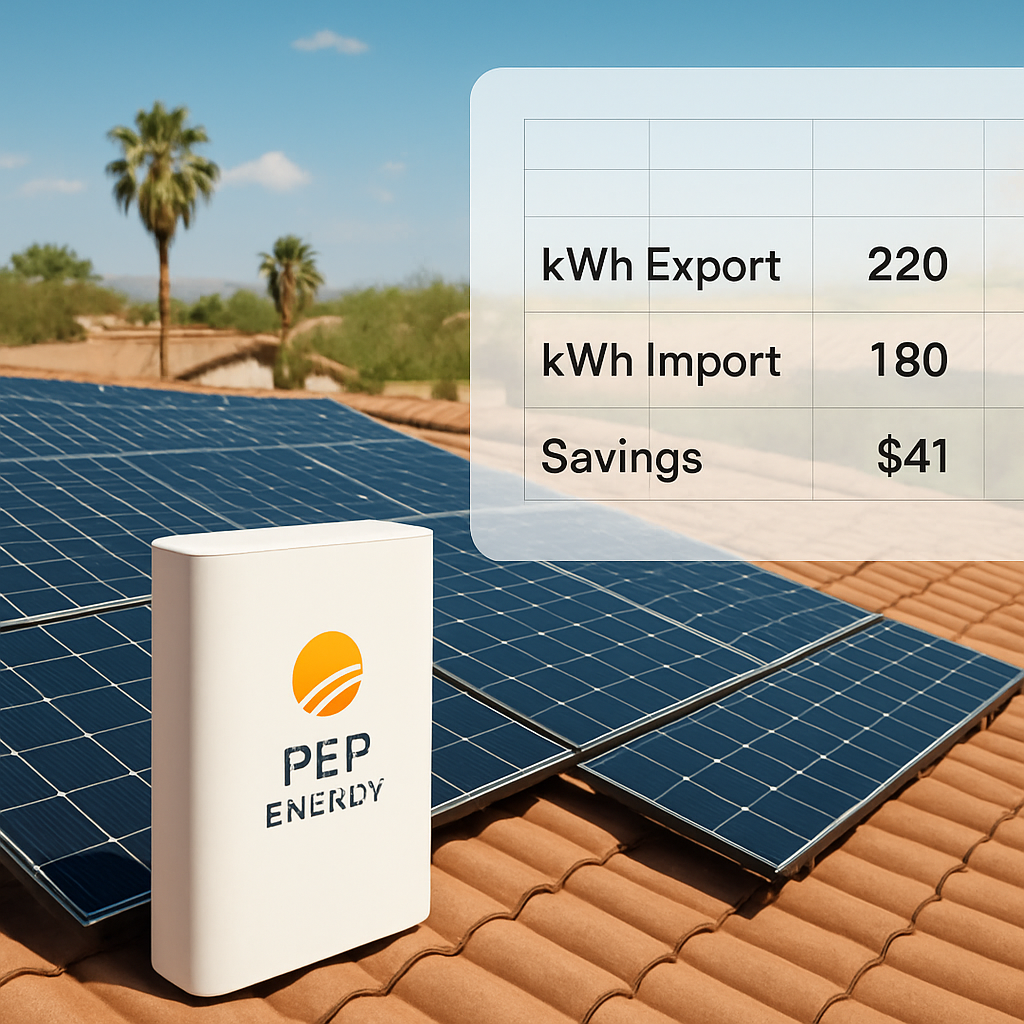
Start with three columns: Month, Export kWh, and Import kWh. Add two more for Credit Income and Purchase Cost. Finally, a column for Net Savings (Credit minus Purchase plus the fixed service charge).
Here’s the basic formula you’ll paste into each row:
Credit Income = Export kWh × Credit Rate (¢/kWh)
Purchase Cost = Import kWh × Purchase Rate (¢/kWh)
Net Savings = Credit Income – Purchase Cost – Service Charge
Plug in your numbers, and watch the math do the heavy lifting.
Gather the numbers
What you need:
- Average monthly export (kWh) – pull this from your solar‑size tool or your last bill’s net‑metering column.
- Average monthly import (kWh) – that’s the power you still pull from SRP after the sun goes down.
- Credit rate – the fixed per‑kWh credit the plan promises (e.g., 5.8¢/kWh for E‑16).
- Purchase rate – the per‑kWh price you’ll pay during peak hours (often around 22¢/kWh).
- Fixed service charge – usually $10‑$15 per month, regardless of usage.
Got all that? Great. If you’re not sure about your export/import, run the SRP Integrated System Plan to see the latest rate tables and confirm the credit and purchase values.
Now, let’s walk through a realistic scenario.
Real‑World Example #1: The Phoenix Homeowner
Meet Maya. She installed a 5‑kW rooftop system on her single‑family home. Her utility bill shows she exports about 500 kWh each month and imports roughly 300 kWh during the evening.
Using the E‑16 plan (5.8¢ credit, 22¢ purchase) and a $12 service charge, Maya’s spreadsheet looks like this:
- Credit Income: 500 kWh × $0.058 = $29.00
- Purchase Cost: 300 kWh × $0.22 = $66.00
- Net Savings: $29 – $66 – $12 = –$49 (a loss)
That tells Maya the plan alone won’t pay for itself. But she also has a 6‑kWh battery. By shifting 200 kWh of daytime export into the evening, she can avoid $44 of purchase cost.
Re‑run the numbers with 200 kWh moved to the export column and 200 kWh removed from import:
- New Credit Income: (500 + 200) × $0.058 = $40.60
- New Purchase Cost: (300 – 200) × $0.22 = $22.00
- Net Savings: $40.60 – $22 – $12 ≈ $6.60 per month
That’s a modest positive cash flow, plus the added peace of knowing she has backup power on a hot summer night.
Does this feel like a lot of numbers? Not really – the spreadsheet does the work, and you only tweak the kWh inputs.
Real‑World Example #2: The Scottsdale Coffee Shop
Joe runs a boutique coffee shop with a 7‑kW system. His peak‑hour load is higher: 800 kWh exported, 600 kWh imported each month. He’s eyeing the E‑27 plan (6.2¢ credit, 24¢ purchase).
Initial calculation:
- Credit: 800 × $0.062 = $49.60
- Purchase: 600 × $0.24 = $144.00
- Net: $49.60 – $144 – $12 ≈ –$106.40
Negative again, but Joe’s shop runs heavy equipment after sunset – perfect for a battery.
He adds an 8‑kWh battery and schedules 300 kWh of export to discharge during the 5‑p.m.‑10‑p.m. window when his purchase rate spikes. Revised figures:
- Credit: (800 + 300) × $0.062 = $68.20
- Purchase: (600 – 300) × $0.24 = $72.00
- Net: $68.20 – $72 – $12 ≈ –$15.80
Now the gap is tiny. Throw in a small operational tweak – turning off non‑essential lights during peak hours – and Joe flips the ledger to a $5‑$10 monthly profit.
What’s the takeaway? For commercial loads, even a modest battery can turn a loss into a win.
Quick checklist before you finalize
- Confirm the exact credit and purchase rates for the plan you’re eyeing – SRP updates them annually.
- Run the calculator with and without a battery to see the break‑even point.
- Factor in any additional incentives (state rebates, federal tax credit) that reduce upfront battery cost.
- Remember the fixed service charge; a plan that looks great on paper can lose steam once that $12‑$15 is added.
Once you’ve got a positive net number, you’ve essentially proven the plan works for your roof, your usage, and your budget.
Still not convinced? Try the numbers for a “what‑if” scenario – double your export, halve your import – and see how quickly the scales tip.
Step 6: Frequently Overlooked Fees and How to Avoid Them
When you finally lock in an SRP solar rate plan, you might think the bill is all sunshine and savings. But there are a handful of sneaky fees that can eat into that glow if you’re not watching.
Service‑charge surprise
SRP tacks on a fixed monthly service charge – usually between $10 and $15 – no matter how much solar you export. It’s easy to forget because it’s a flat line on the bill, not a kWh‑based item.
What you can do: add that charge to your spreadsheet right from the start. If the plan looks good before the service fee, it still looks good after. If it flips negative, consider a higher‑credit tier or a modest battery to shave off more purchase kWh.
Demand‑response enrollment fees
Some SRP plans include an optional demand‑response program. It’s marketed as a way to earn extra credits, but the enrollment itself can cost $5‑$8 per month, and you’ll be locked into specific usage windows.
Tip: only opt‑in if you have a battery that can reliably shift load into the program’s “event” periods. Otherwise, you’re paying for a feature you never use.
Meter‑upgrade and data‑logger costs
SRP may require a new smart meter or a data logger if your system isn’t already “grid‑ready.” Those upgrades can run $100‑$200 upfront, and sometimes there’s a small recurring maintenance surcharge.
How to avoid: ask your installer to confirm the existing meter is compatible before signing the rate‑plan agreement. In many Phoenix homes, the legacy analog meter can be swapped during the next scheduled service visit – no extra charge if you schedule it yourself.
Late‑payment penalties
Even a tiny missed payment can trigger a $25 late fee, and it can temporarily suspend your generation credit. That’s a double whammy – you lose the credit and you pay a penalty.
Simple fix: set up automatic bill pay in the SRP portal, or give us a heads‑up so we can remind you a day before the due date. It takes a minute, but it saves you a lot of headache.
Battery‑related hidden costs
If you added a battery after enrolling, SRP may apply a “storage‑service” fee – often a small per‑kWh monthly charge for the extra capacity you’re pulling from the grid.
What we’ve seen work: negotiate the fee into the overall battery contract price. Some installers bundle the SRP storage fee into the lease, so you see a single line item on your invoice instead of two.
Checklist: Spotting the fees before they bite
- Review the latest SRP rate‑plan PDF for any line items labeled “service charge,” “demand response,” or “storage fee.”
- Ask your installer to verify your meter type – no extra upgrade needed? Great.
- Write down the exact dollar amount of each recurring fee and plug it into your savings calculator.
- Set up automatic payments to dodge late‑payment penalties.
- If you’re adding a battery, confirm whether the storage‑service fee is included in the battery lease.
By pulling these hidden costs into your “net‑savings” column, you get a realistic picture of what the SRP solar rate plan will actually do for your wallet.
Quick “what‑if” exercise
Take your current spreadsheet and add a $12 service charge, a $6 demand‑response fee, and a $5 storage fee. If your net savings drop from $30 to $7, that’s a sign you might need a higher‑credit tier or a bigger battery to bring the numbers back up.
Does that feel overwhelming? Not really. It’s the same kind of mental math you’d use to compare a lease versus a purchase on a car – just a few rows, a couple of formulas, and you’ve got clarity.
Bottom line: the SRP solar rate plan can still be a win, but only if you factor in every line item the utility throws at you. Spot the fees early, adjust your system size or storage, and you’ll keep those savings sunny and steady.
FAQ
What is the SRP solar rate plan and how does it differ from traditional net metering?
In a nutshell, the SRP solar rate plan locks in a fixed credit per kilowatt‑hour that your panels export, instead of letting that credit float with wholesale market prices. Traditional net metering often ties your credit to the utility’s retail rate, which can swing up and down. With the SRP plan you get the same $0.058‑$0.065 per kWh every month, making budgeting a whole lot easier.
How can I determine which SRP solar rate plan tier is right for my home or business?
Start by pulling your last three SRP bills and calculating your average daily usage. Then run a quick export estimate – a 5‑kW system in Phoenix typically spits out about 600 kWh a month. Compare that export number to the credit rates in each tier (E‑16, E‑27, E‑28) and match the tier whose credit covers the bulk of your export while keeping the purchase rate low for the kWh you still draw.
Will adding a battery storage affect my credits under the SRP solar rate plan?
Yes, a battery lets you shift exported energy into evening hours, turning what would be a purchase charge into a credit. If you can store 200 kWh and discharge it during peak periods, you’ll see that extra 200 kWh counted at the plan’s credit rate instead of the higher purchase rate. In practice, that often flips a negative cash‑flow into a modest profit.
Are there any hidden fees I should watch for when enrolling in the SRP solar rate plan?
SRP’s bill always includes a flat service charge (usually $10‑$15) and, if you opt into demand‑response, a small monthly enrollment fee. Some customers also see a storage‑service fee when they add a battery after enrollment. The trick is to write each recurring line item into your spreadsheet from day one – that way you see the true net‑savings before you sign anything.
How often does SRP update the credit and purchase rates, and what does that mean for my savings?
SRP revises its generation‑plan rates once a year, typically in the spring. The credit amount stays fixed for the life of the plan you choose, but the base purchase rates can shift. That means your savings might dip a bit if the purchase price climbs, so it’s smart to set a reminder to review the rates before the next annual update and consider switching tiers if it makes sense.
Can I switch between SRP solar rate plan tiers if my usage patterns change?
Absolutely. SRP allows you to move to a different tier during the annual enrollment window, usually a few weeks before the new rate cycle kicks in. Just make sure your system size and any battery capacity still meet the eligibility thresholds for the new tier. A quick call to SRP or a chat with Pep Energy can get the paperwork rolling.
What steps should I take to keep my SRP solar rate plan bill predictable month to month?
First, set up automatic bill pay so you never miss a payment and trigger a credit suspension. Second, monitor your export numbers each month – a sudden dip could signal shading or dust on the panels. Third, keep your battery schedule aligned with peak‑hour windows to maximize credit use. Finally, revisit your spreadsheet after any rate update to confirm you’re still in the best tier for your usage.
Conclusion
We’ve walked through everything from eligibility to the nitty‑gritty of the bill, so now you know what the SRP solar rate plan really feels like in daily life.
Remember, the magic lives in the balance between the credit you earn and the purchase price you avoid. If your export numbers dip, a quick check of shading or dust can often add back 5–10 % of kWh.
So, what’s the next step? Grab the spreadsheet you built, plug in the latest credit and purchase rates (SRP updates them each spring), and see whether you’re still in the sweet spot. If the net number slides negative, consider a modest battery upgrade or a tier switch during the annual enrollment window.
And don’t forget the hidden fees we highlighted – the flat service charge, demand‑response enrollment, and any storage‑service fees. Adding them to your calculator now saves a surprise later.
In our experience, homeowners who set a calendar reminder for the rate‑update deadline stay ahead of the curve, while business owners who align battery discharge with peak‑hour windows turn a modest loss into a steady profit.
Bottom line: the SRP solar rate plan can be a reliable cash‑flow tool, but only if you treat it like a living document. Review, adjust, and let the sun keep working for you.